From this tutorial, you will figure out, what is CSS shapes for images, how to apply it to your images. Also, you’ll learn how to add CSS shapes to your Gutenberg gallery block.
Why using the CSS shapes
To start with, the CSS stands for Cascading Style Sheets. It is the “so-called” language, with the help of which you are able to make your pages look more interesting and attractive for visitors. CSS Shapes is actually a set of rules for wrapping content around custom shapes. However, it does not actually draw the shape, but rather gives instructions to the browser on what the float area looks like.
The CSS shapes can be anything from circles and ellipses to simple or complex polygons. You can also organize your images in a way, which allows your text content to obtain the images. Moreover, you don’t need to acquire coding skills to build unique layouts.
Set a CSS shape for a single image
To make an image in Gutenberg shaped, you will need to do a few steps:
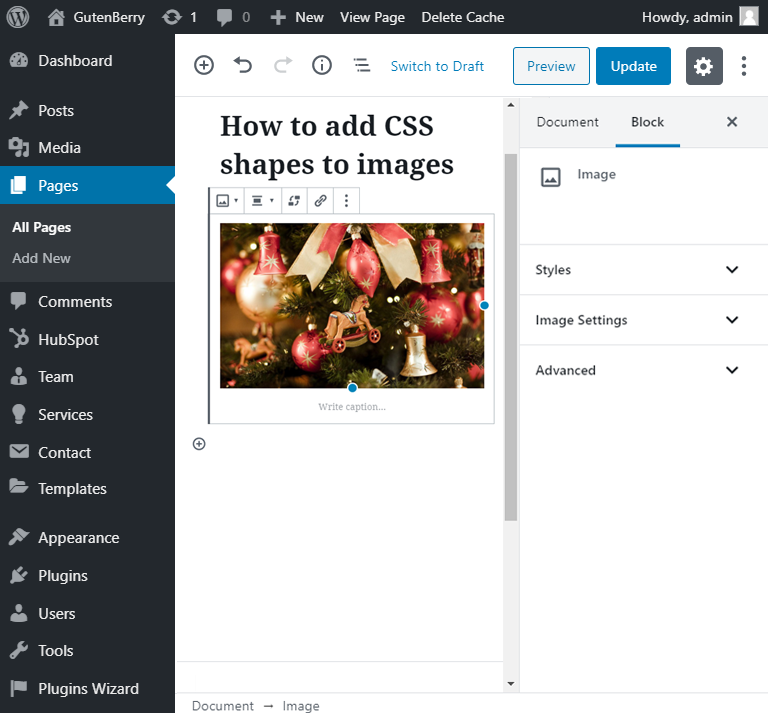
- firstly you have to go to the editor area and add a single image block;

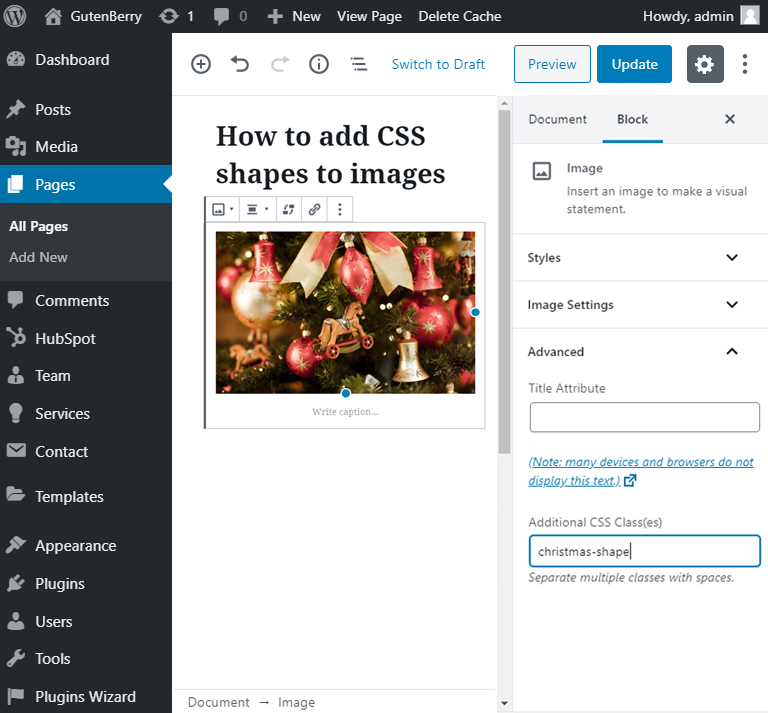
- open the “Advanced” tab in the right sidebar and wtite down the name of the CSS class;
- after that, save the draft with the “Save draft” button and press the “Preview” button;
- click on the “Customize” tab at the top of the page;
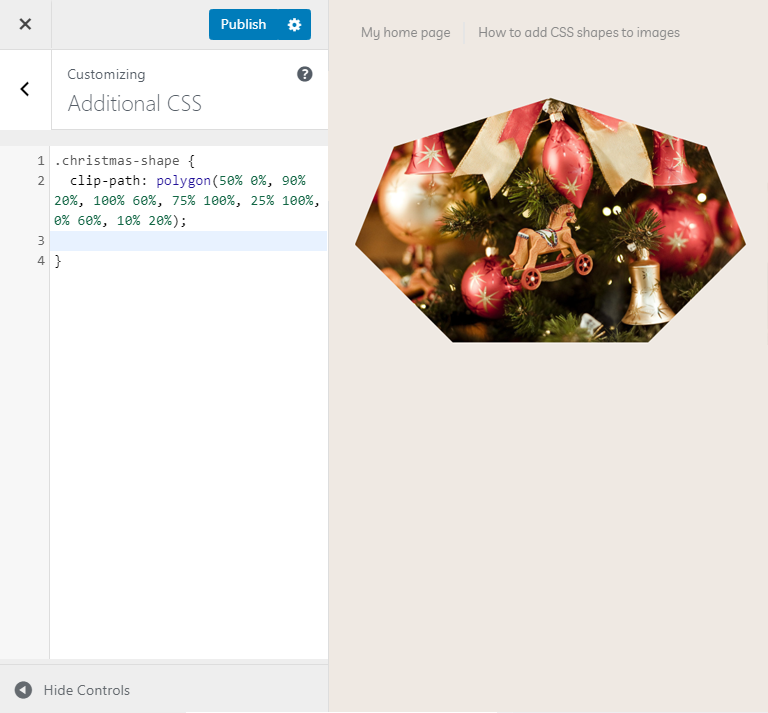
- open the “Additional CSS” tab and. Use the special CSS tool for shapes creation;
- choose what shape matches your requirements and copy its code.
Set a CSS shape for the whole Gutenberg gallery
After that, let’s create a gallery with the help of the Gutenberg editor. Go to the page, where you want to showcase it and add a needed block.
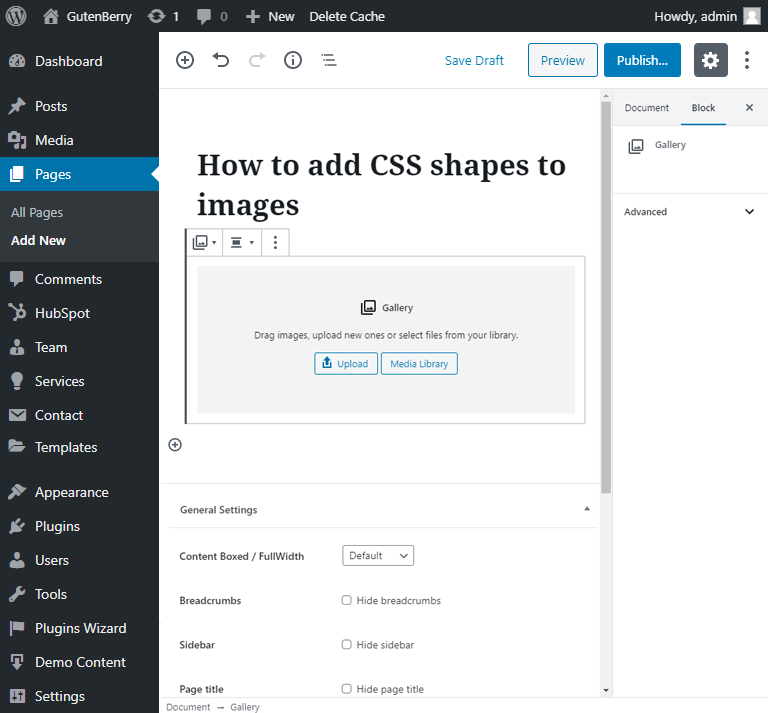
- Browse all the images you want to see in your gallery or insert them from the media library.
- As you can see, the images in your gallery appears as a single section. When you assign one of them to the CSS class, the other images in the gallery are automatically assigned as well.
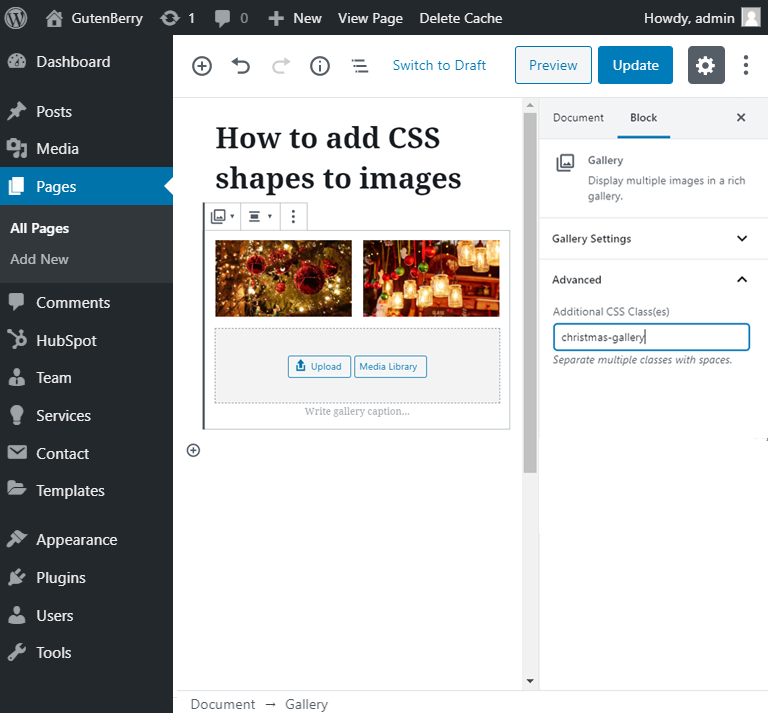
- Don’t forget to save the template by clicking on the “Publish” button. After that, click on the “Preview” button to showcase the result of your work.
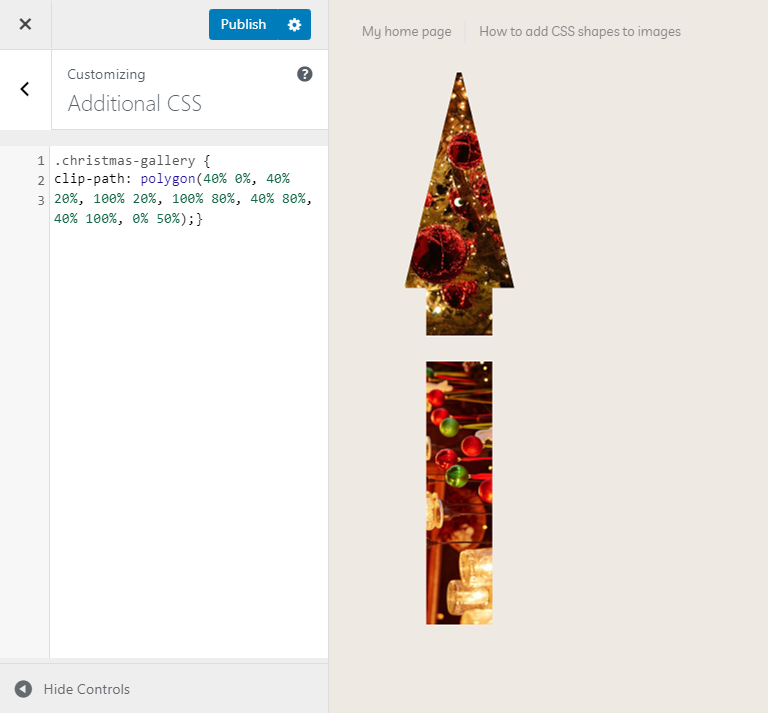
- Open the “Customize” tab, which is located at the top of the webpage. Go to the “Additional CSS” tab. Apply the needed shape.
- As you can see, is you are applying the CSS additional features to the block, which contains a couple of modules, it will apply to the whole block, not to the single part separately.
We hope you liked our simple tutorial on how to apply the CSS shapes for Gutenberg images. Subscribe to our newsletter for more useful tutorials and instructions.